Transform your website with an intelligent AI chatbot that understands your business.
Try the chatbot! →
What is ONOXIA?
ONOXIA is an AI-powered chatbot platform by OCENOX LTD that integrates seamlessly with your Joomla website. It learns from your content — articles, sitemaps, and documentation — to provide accurate, context-aware answers to your visitors.
How to Install
- Download the latest pkg_onoxia package from GitHub Releases
- In your Joomla admin, go to System → Install → Extensions and upload the ZIP file
- The package installs both the system plugin and the admin component
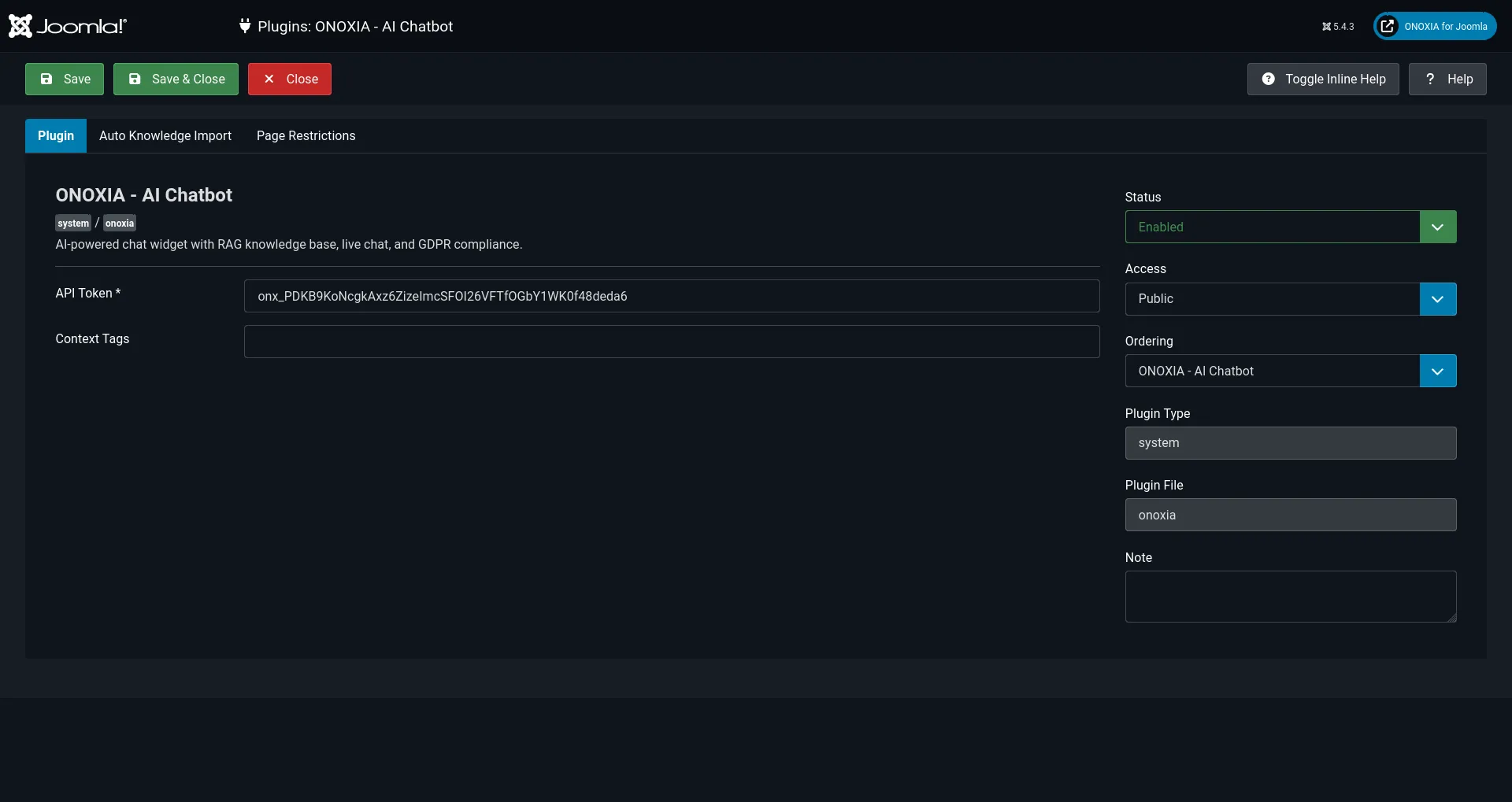
- Go to System → Plugins, search for "ONOXIA" and enable the plugin
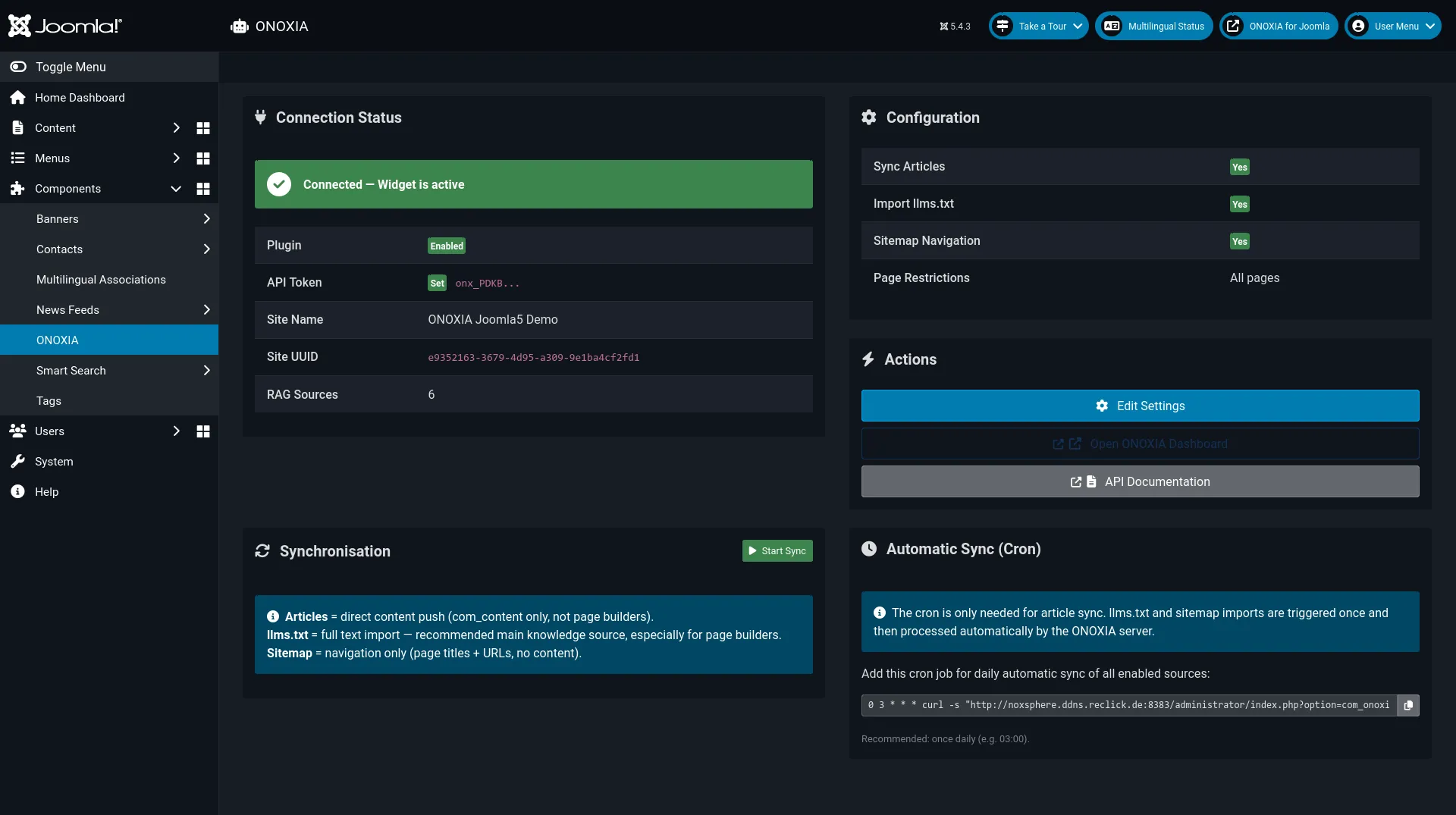
- Then go to Components → ONOXIA to open the admin dashboard
Getting Your API Token
- Sign up at onoxia.nz
- Create a new site in the ONOXIA dashboard
- Go to Settings → API Tokens and create a token with site:read, rag:read, and rag:write permissions
- In Joomla: Components → ONOXIA → Edit Settings — paste the token there
Key Features
- RAG Knowledge Sync — Automatically syncs your Joomla articles as knowledge sources
- Multilingual Support — 15+ languages out of the box
- Easy Integration — Install, add your API token, done
- Admin Dashboard — Monitor connection status and sync from Components → ONOXIA
- llms.txt & Sitemap Import — Import your entire site knowledge base
Try It Now
Click the chat widget in the bottom right corner to see ONOXIA in action!
Screenshots
Admin Dashboard
Plugin Settings